
Companies
A company (empresa) groups the signers and contracts of an organization. Before you add signers to a send, it is best to register the company, because its detail screen is where you manage its signers and review its documents.
Company list
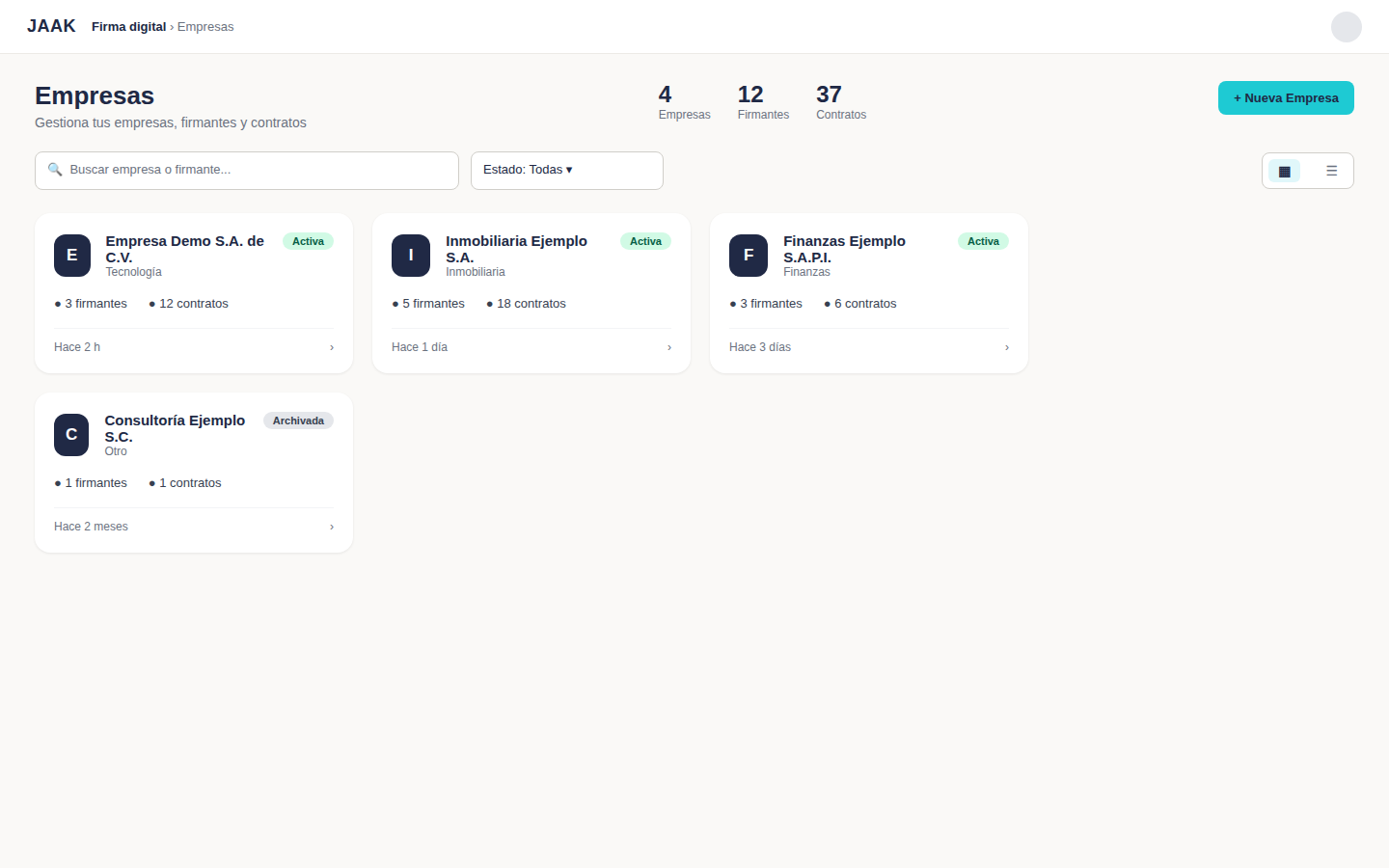
Open Empresas (Companies) in Signa. The screen shows:
- Three totals: Empresas, Firmantes (signers) and Contratos (contracts).
- A search box with the text Buscar empresa o firmante... (Search company or signer...).
- A Estado (Status) filter: Todas (All), Activas (Active) or Archivadas (Archived).
- Two views: cards or list.
Each card shows the name, the industry, the status, the number of signers and contracts, and the latest activity. Click a company to open its detail.
Illustrative screenshot with fictitious data.
Create a company
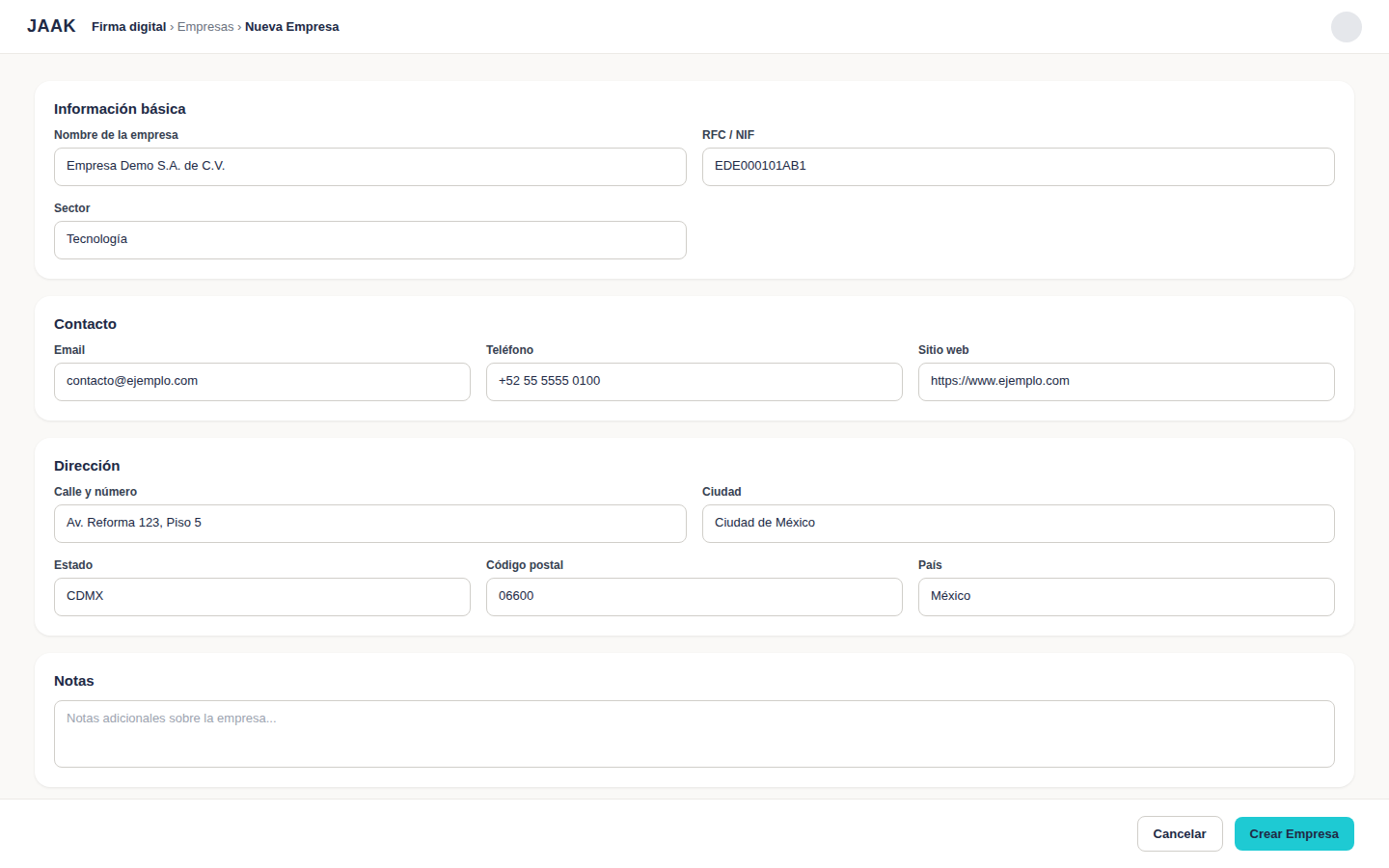
- Press Nueva Empresa (New company). The Nueva Empresa form opens.
- Type the Nombre de la empresa (Company name). It is the only field marked as required in the form.
- Complete the other data you have:
- Basic information: RFC / NIF (tax ID) and Sector (industry). The available industries are Tecnología, Finanzas, Salud, Legal, Inmobiliaria, Retail, Manufactura and Otro.
- Contact: Email, Teléfono (phone) and Sitio web (website).
- Address: Calle y número (street and number), Ciudad (city), Estado (state), Código postal (postal code) and País (country).
- Notes: free text.
- Press Crear Empresa (Create company).
Illustrative screenshot with fictitious data.
Company detail
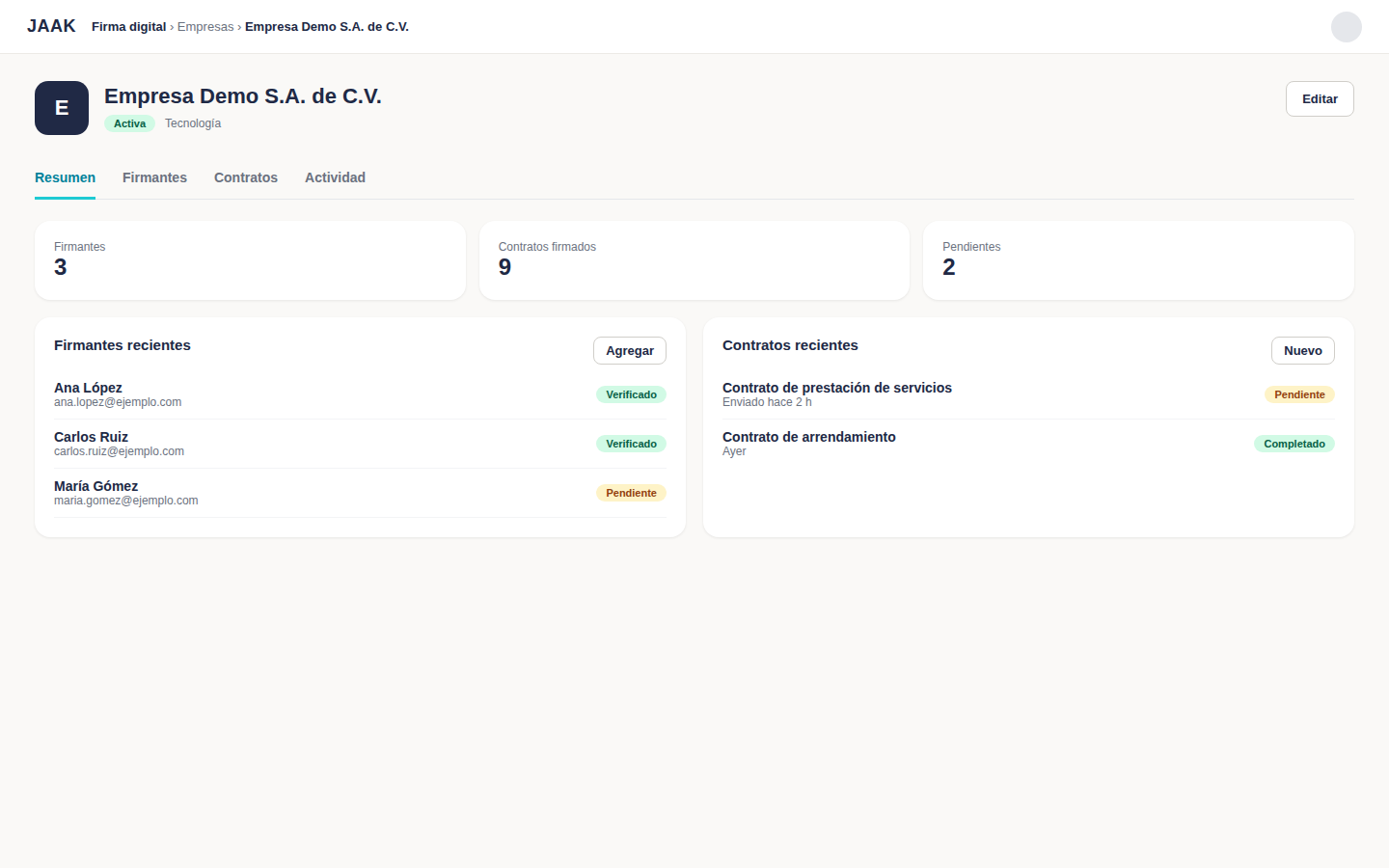
The detail has four tabs:
| Tab | What it shows |
|---|---|
| Resumen (Summary) | Totals of signers, signed contracts, pending items and total contracts. Includes the most recent signers and contracts. |
| Firmantes (Signers) | Table of signers with search and status filter. |
| Contratos (Contracts) | Documents sent from the company. |
| Actividad (Activity) | Recent events for the company. |
Illustrative screenshot with fictitious data.
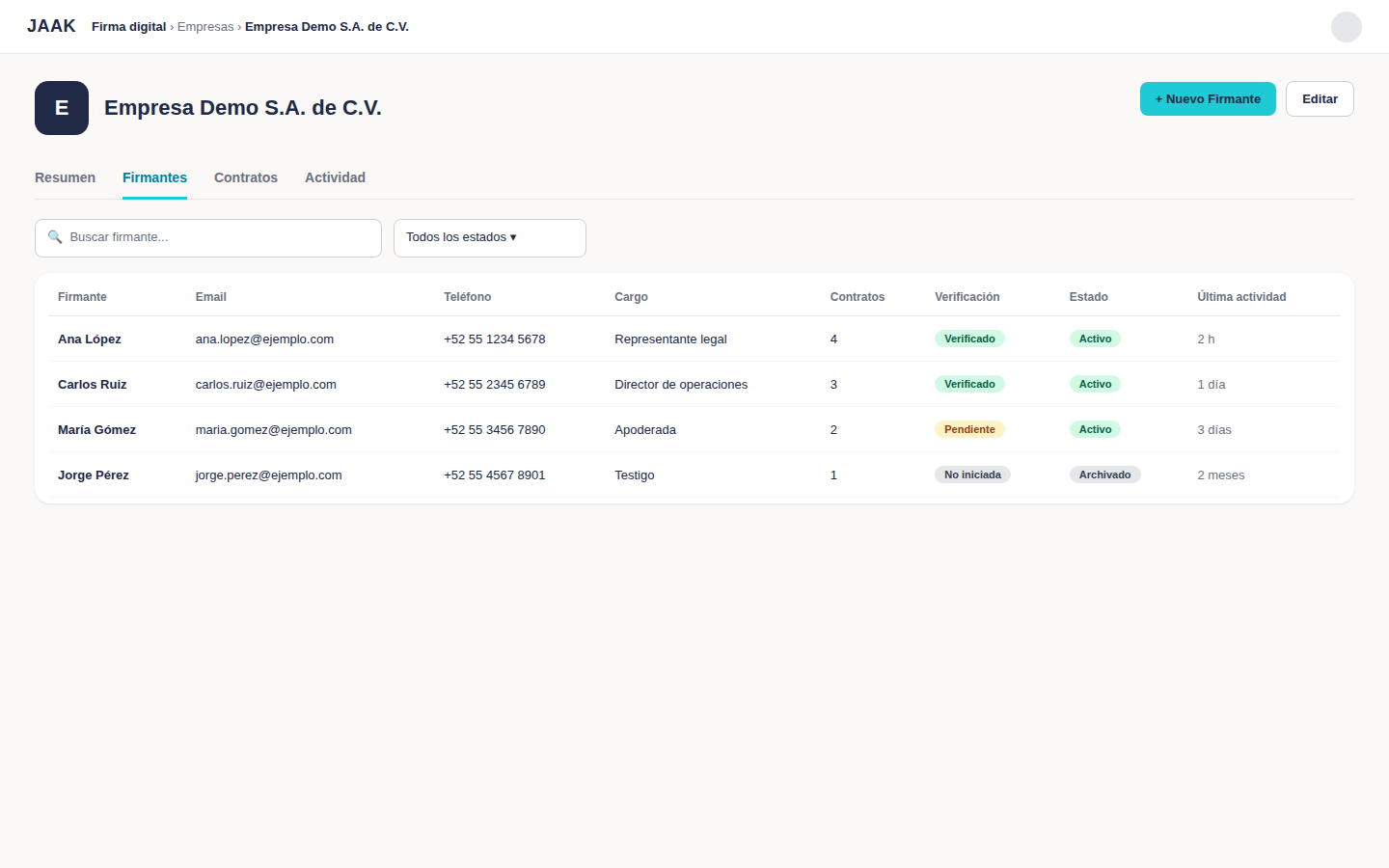
On the Firmantes tab, the table shows the name, email, phone, role, number of contracts, verification, status and latest activity. The Nuevo Firmante (New signer) button adds a signer to the company. To register signers, see Contacts and signers.
Illustrative screenshot with fictitious data.
Edit a company
From the detail, press Editar (Edit). Change the data and press Guardar Cambios (Save changes). The button is enabled only when the form has changes.
Archive and delete
- Archive: in Editar, the Estado (Status) field switches the company between Activa and Archivada. An archived company appears under the Archivadas filter in the list.
- Delete: the Eliminar (Delete) button appears only when the company has no signers and no contracts. Pressing it opens a confirmation titled Eliminar Empresa (Delete company): "Are you sure you want to delete the company...? This action cannot be undone."
Deleting cannot be undone
If you need to keep a company's history, archive it instead of deleting it.